Case study
A scheduling app for a fitness studio
The studio works with members to find classes that fit their week, including alternatives when their usual class is full. The booking tools considered were built around members choosing from a fixed timetable. I introduced saved preferences and weekly confirmations to simplify routine planning, then built an app that keeps the manager involved when members need to talk through a change.
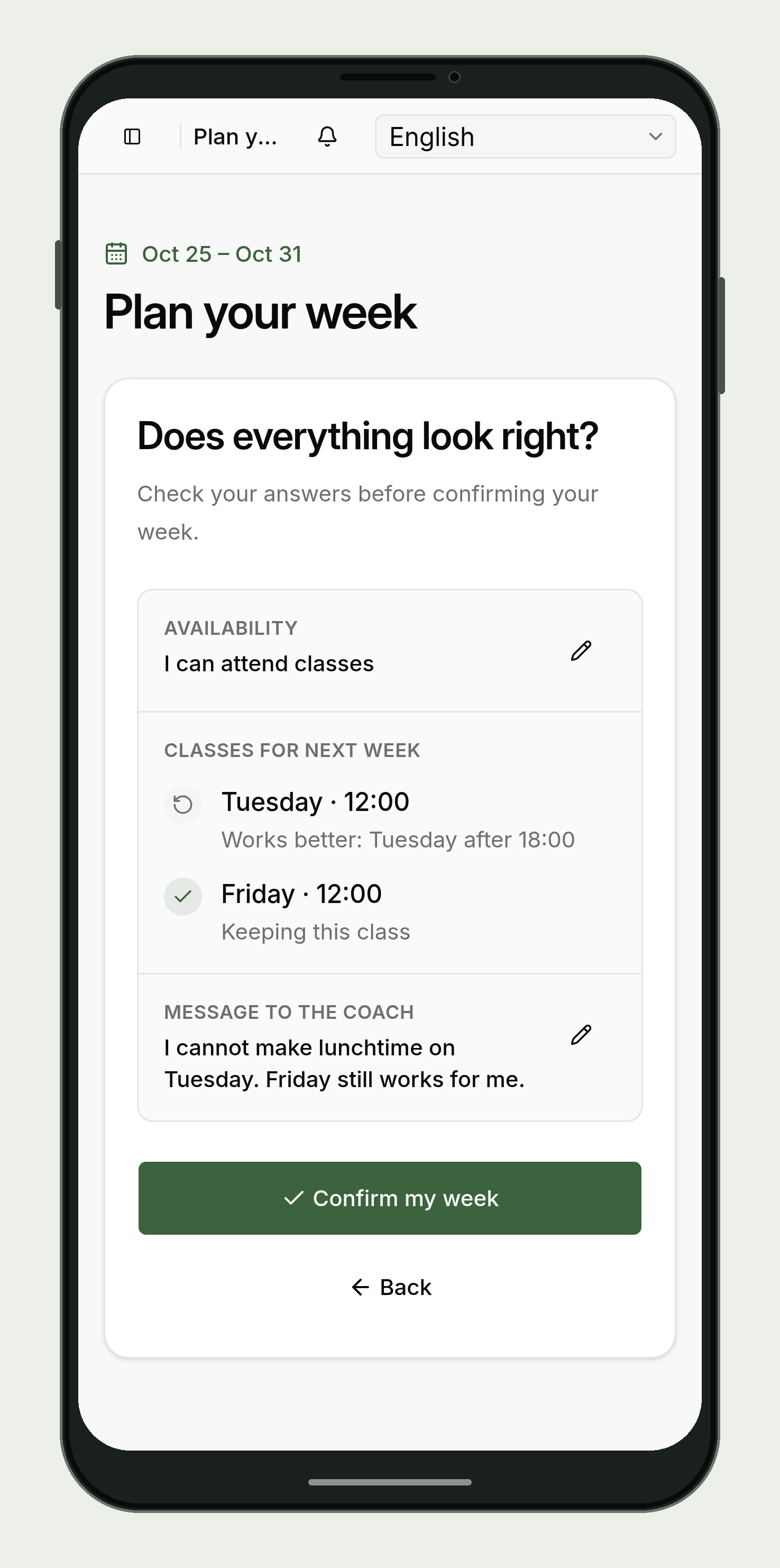
Confirm the usual week
When their usual times still work, members can confirm their proposed week from their phone. If their plans have changed, they can ask for an alternative.
Design choice: regular preferences
Before the app, the manager asked every member about the following week on WhatsApp. Those exchanges helped arrange classes around people’s needs, but the same questions were repeated even when nothing had changed.
Most members’ preferences were similar from week to week. I proposed saving them so members could confirm their usual plan without another message. The manager still talks with members when their availability changes or their usual class cannot run.
Find an alternative together
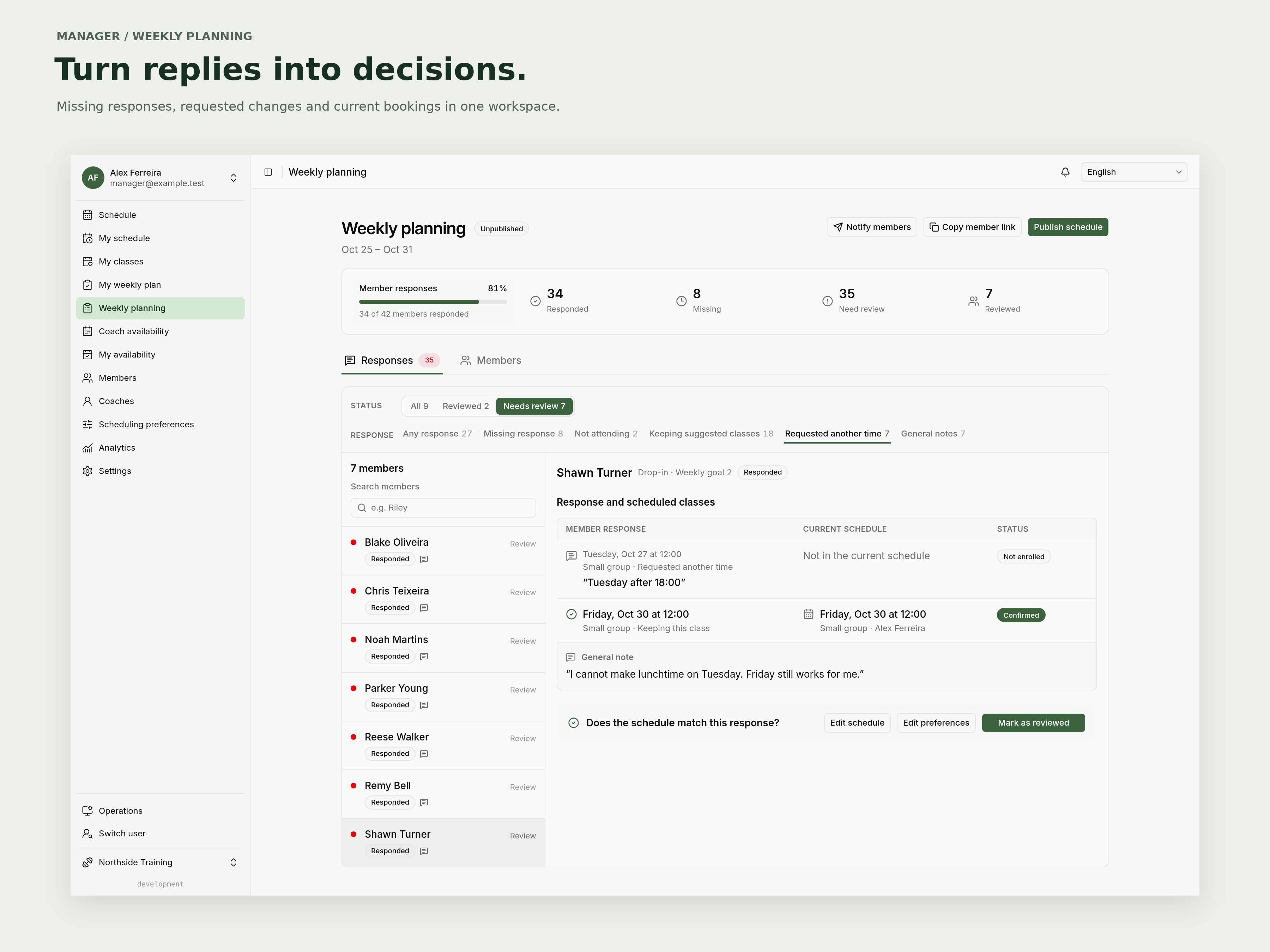
The manager reads the request alongside the member’s bookings and works with them to arrange an alternative.
Design choice: agreeing changes together
When a member’s preferred class is full, the manager can ask someone with more flexibility about moving or suggest another time. The member can still talk through options instead of assuming they have to miss the week.
I kept change requests separate from bookings so asking for an alternative does not remove a member’s existing place. The member and manager agree what should change, including any cancellation.
Publish the agreed schedule
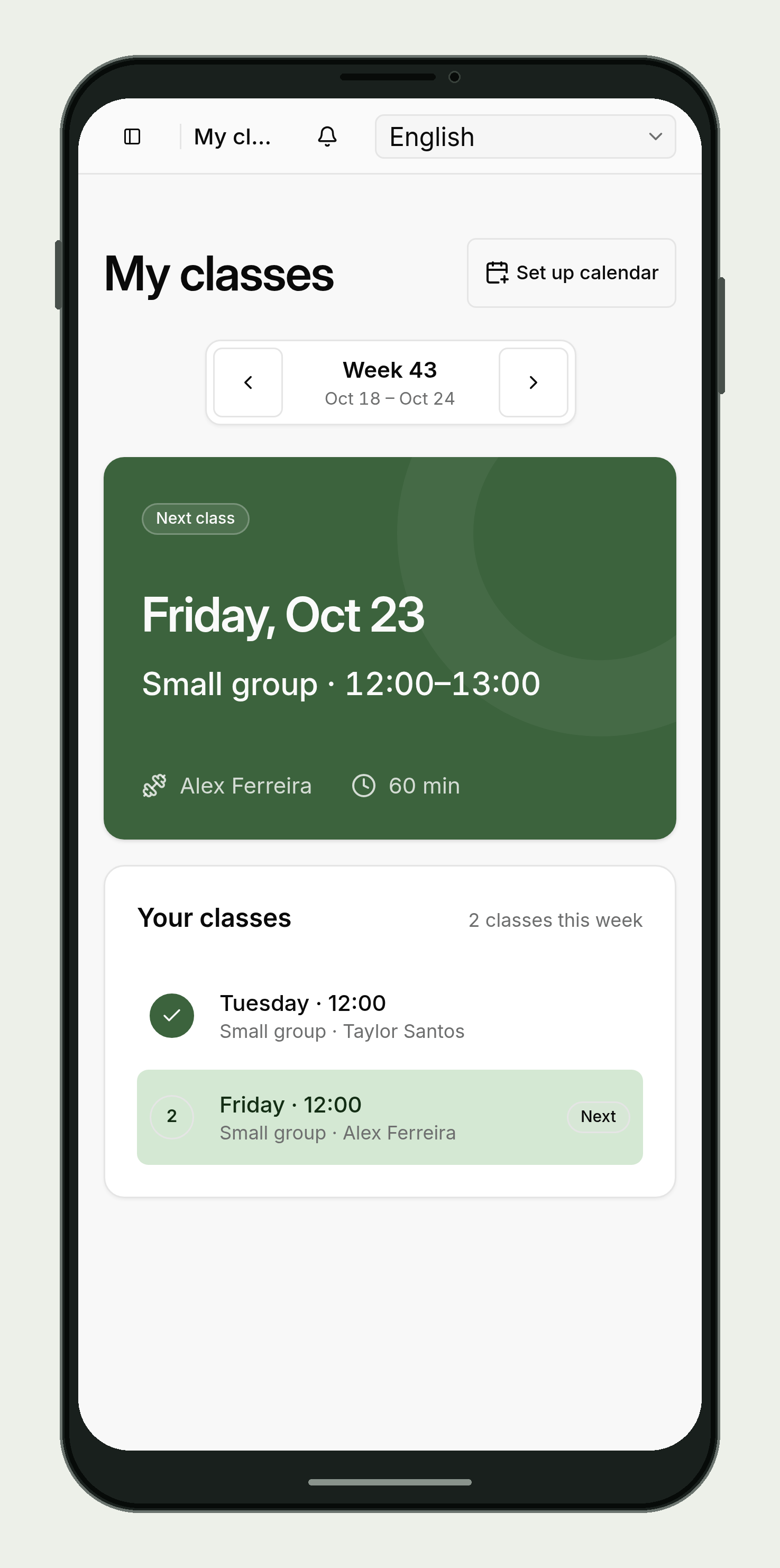
Once the manager publishes the week, members can check their own classes and coaches can see their assignments. Members can keep the app on their phone’s home screen.
Design choice: a private working schedule
Members can answer their own proposals while the manager is still planning. I kept the wider timetable private so members can say what suits them and let the manager explore the options. Once the week is ready, publication gives members and coaches their confirmed classes.
Help coaches prepare for class
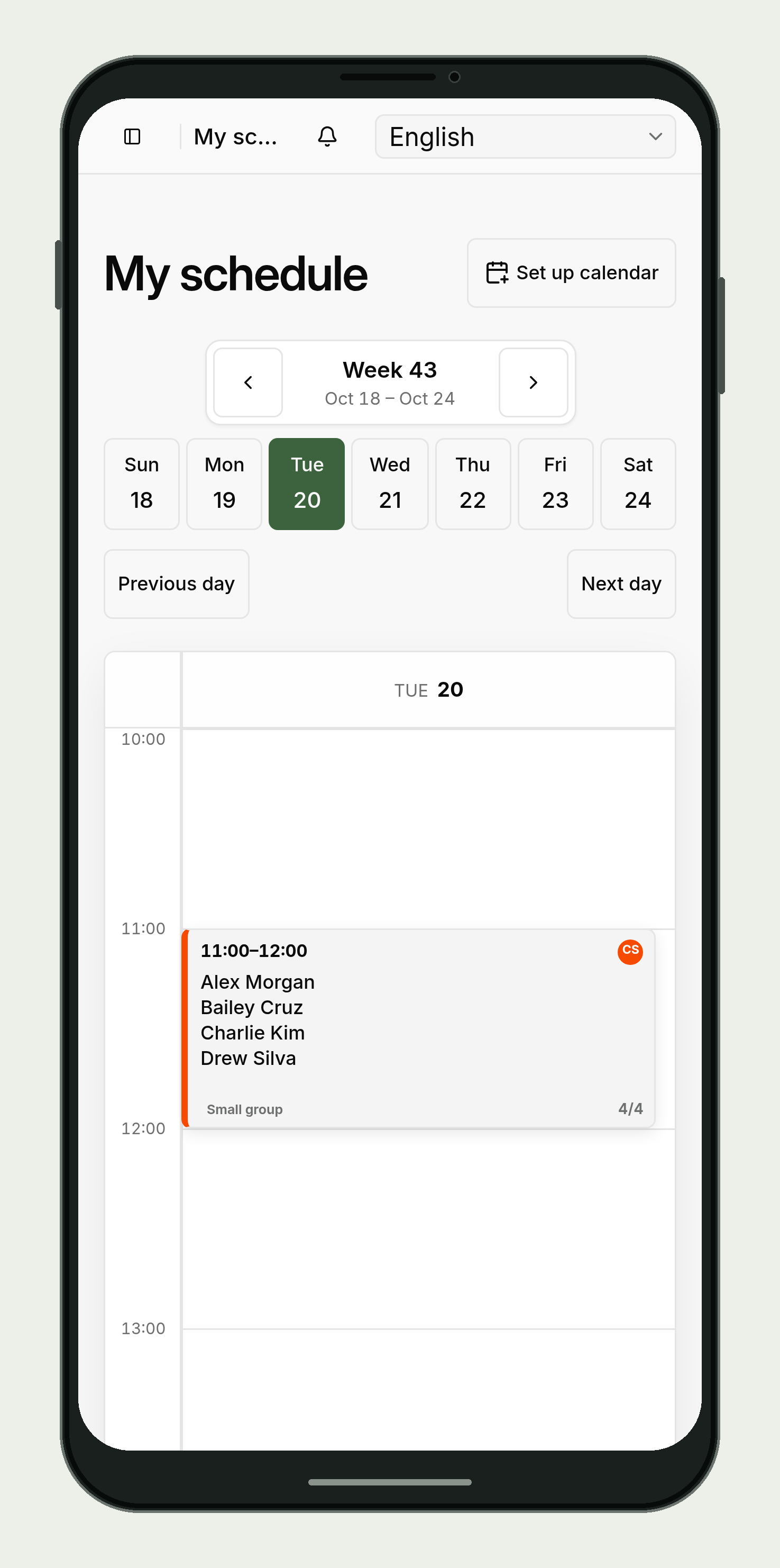
Coaches see their assigned classes and who is expected at each one. They can record no-shows in the app so the manager has the attendance record when following up with a member.
Design choice: shared records
Coaches used to receive their schedule in Google Calendar and message the manager about absences. The manager then updated the calendar and a separate spreadsheet.
Coaches submit their weekly availability in the app, and the manager uses it when assigning classes. Availability and capacity warnings help the manager review the plan and agree exceptions where needed.
Analytics brings together attendance, no-shows, class sizes and members’ training patterns from those shared records.
Product screenshots use fictional data.